Conversations and mail
Keep relevant messages and handoff discussions connected to their operational context.
Slack · Outlook
Operational Knowledge
Connect recordings, documents, and conversations to the people, decisions, and controls behind the work. HEIDI turns reviewed knowledge into context your teams can find and reuse.
The new know-how layer
HEIDI extracts relevant context from supported recordings, documents, images, audio, and transcripts, then connects it to the work it describes.
Knowledge connections
Bring documents, conversations, tickets, and project context into the same governed knowledge foundation. HEIDI and Automation can then work from linked source context instead of isolated files.
Keep relevant messages and handoff discussions connected to their operational context.
Slack · Outlook
Bring approved documents, wiki guidance, and shared files into the same source-linked foundation.
Google Drive · OneDrive · Confluence · Notion
Relate tickets and delivery context to the processes, decisions, and owners they affect.
Jira · GitHub
Connected knowledge in practice
Connect tickets, runbooks, and product guidance so answers and proposed next steps stay grounded in reviewed sources.
Keep approved positioning, templates, notes, and handoff context available to the teams that need them.
Connect SOPs, project context, ownership, and decisions so new team members can understand the work.
Give workflows access to reviewed policies, exceptions, and prior-case context before execution.
Keep policies, approvals, evidence, and decision ownership traceable for review.
Examine connected tools, documents, and conversations to identify friction and improve shared practice.
Explore relationships
Move between a close view and the wider map. The visual keeps the source context and relationship structure visible.
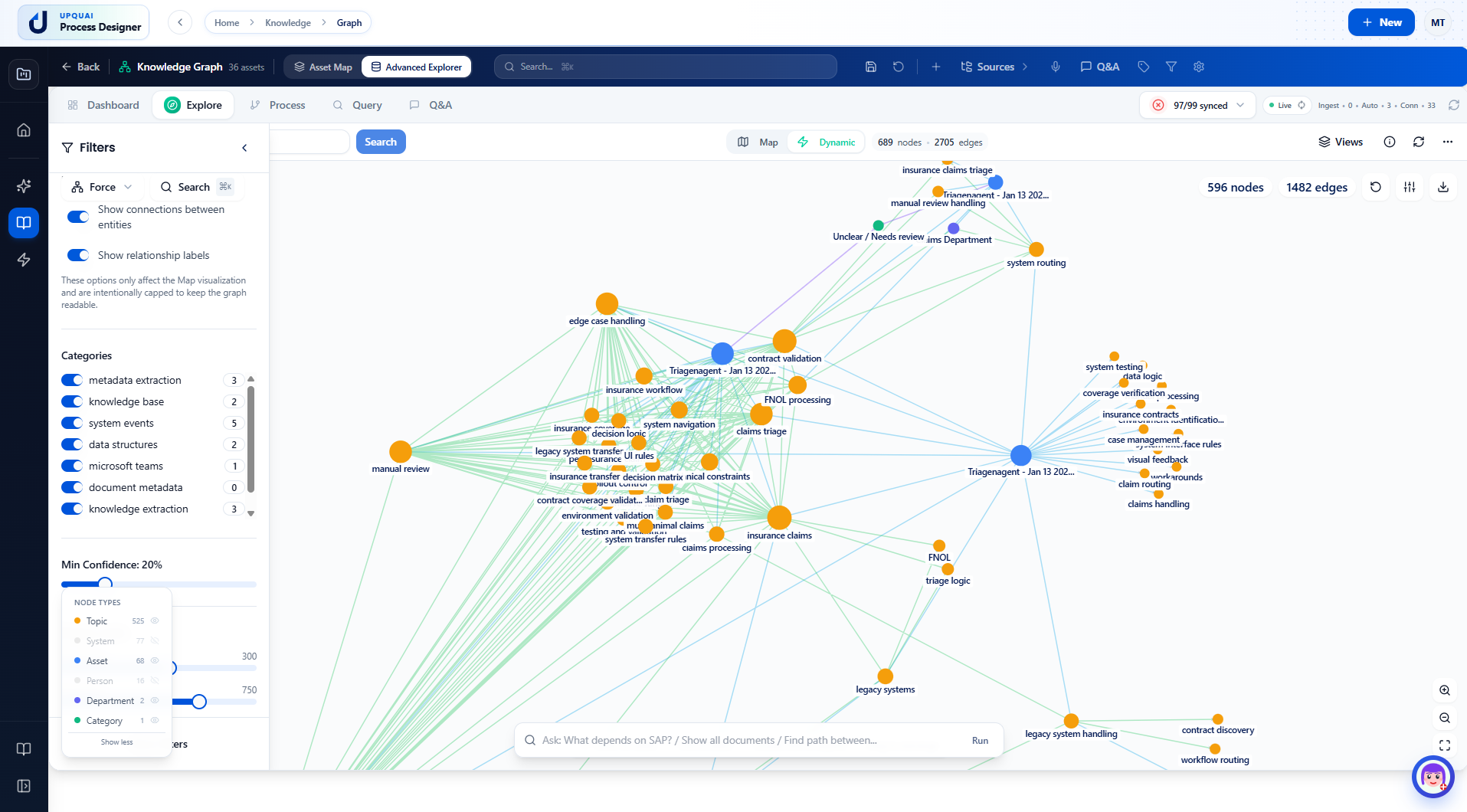
Explore how topics, systems, assets, people, and source material connect.
Ask grounded questions about the knowledge available in the workspace.
Trace downstream relationships before a process, policy, or system changes.
Follow work across systems, teams, documents, decisions, and handoffs.
Relate reviewed know-how to the people and roles responsible for it.
Let new team members explore why work happens, not only which step comes next.
Regulated operations
Repository governance alone is not enough. Connect controls to decision points, retain evidence trails, review documentation health, and compare intended work with observed work.
Core capability
Link operational documents, workflows, recordings, decisions, and ownership so teams can search with context and reuse reviewed knowledge.
Give workflows reviewed process context.
Create SOPs and guides from connected knowledge.
Understand steps, decisions, and handoffs.
Ground answers in the knowledge available to your workspace.
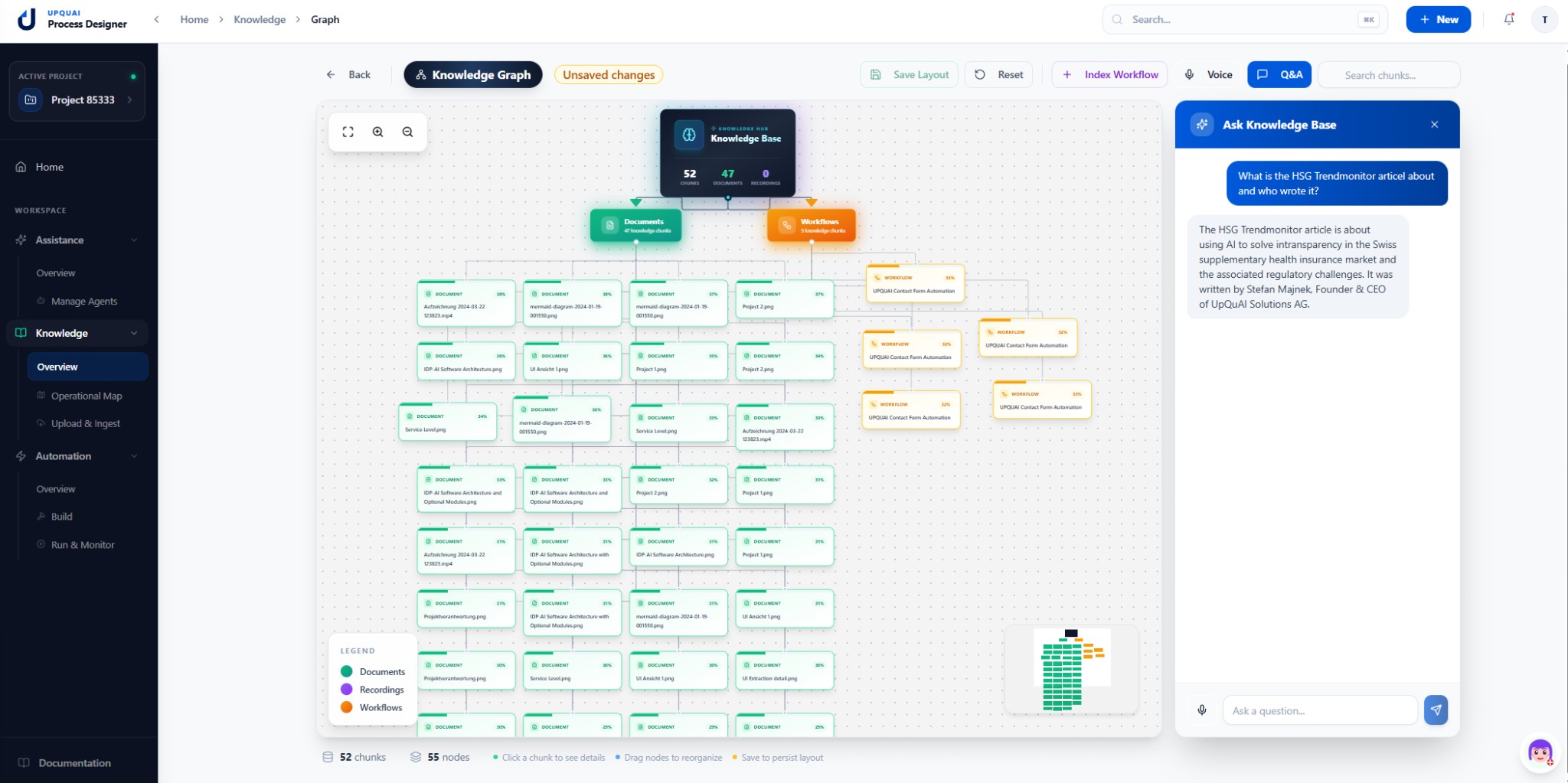
Retain reviewed expertise when roles or teams change.
Link knowledge to workflows, documents, owners, and decisions.
Ask questions against the knowledge available to your workspace.
Use reviewed knowledge in documentation, training, and automation.
Reuse knowledge
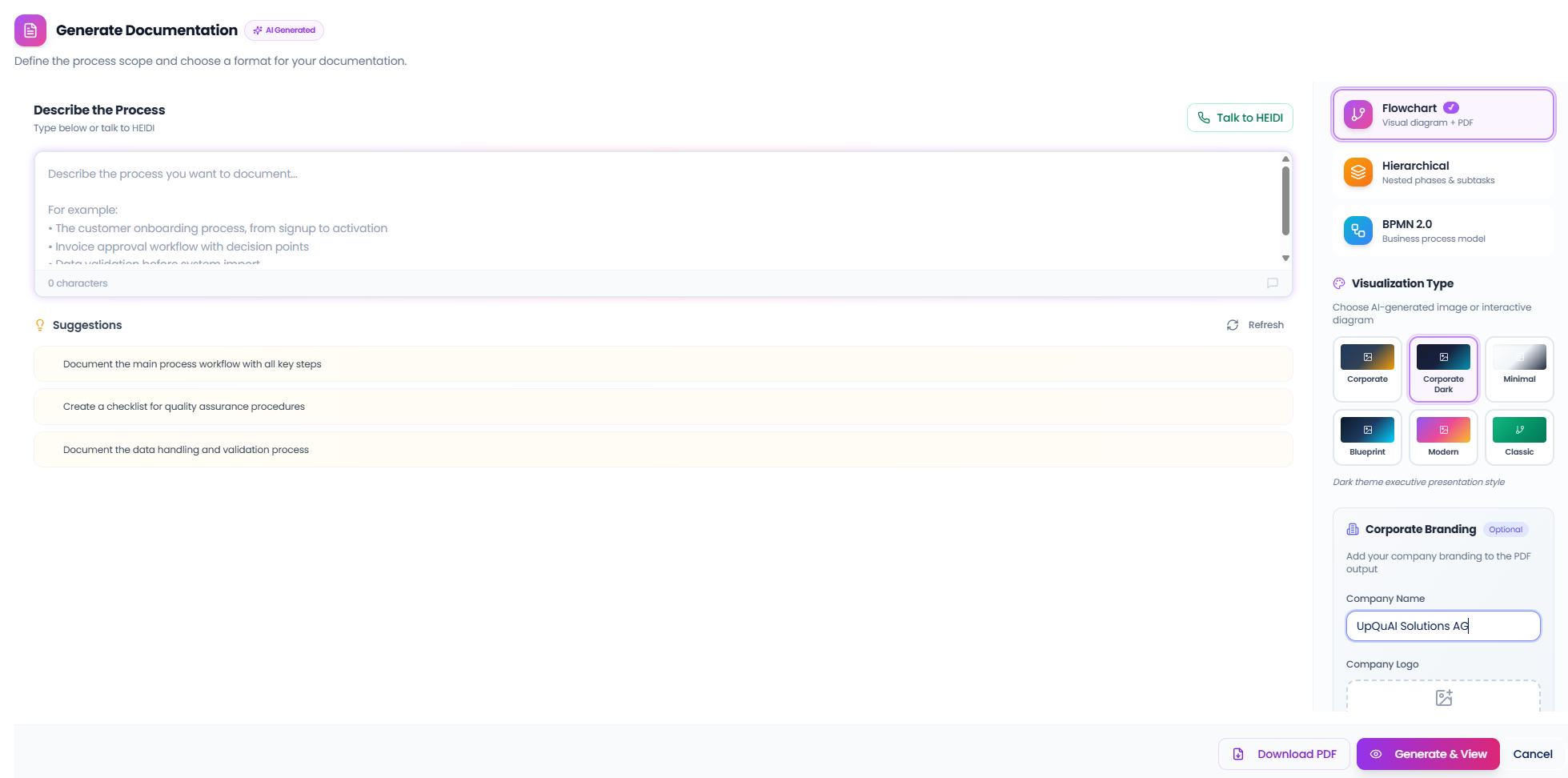
Turn connected knowledge into structured Standard Operating Procedures. Describe the process, choose a visualization style, apply your branding, and refine the result.
Capture an expert walkthrough with voice guidance and retain its source context for review.
Show process steps, decision points, branches, and handoffs as a readable flow.
Export the reviewed procedure as a portable document for controlled sharing.
Refine wording, tables, diagrams, and supporting detail before publishing.
Apply the organization name, logo, and a consistent visual treatment.
Use processed document material as reviewed input to the same SOP workflow.
Use cases
Move from documented know-how to guidance and repeatable execution without separating the source context from the result.
Turn proven work into step-by-step procedures teams can follow.
Capture steps, decisions, handoffs, and exceptions in one place.
Find policies, rules, templates, and the context behind the work.
Export standardized processes for governance and downstream execution.
One operational foundation
Operational Knowledge provides the source context. HEIDI uses it to answer and guide, while the Automation builder turns reviewed procedures into repeatable workflows.
Learn more about how Process Designer works and how it can help your organization.
A Knowledge Graph is a connected map of your organization's knowledge—topics, systems, assets, people, and their relationships. Unlike traditional file storage, it shows how things connect, enabling AI-powered search, impact analysis, and relationship discovery across your entire organization.
Task mining shows how work is really done on the screen, step by step. Process mining shows what happened in system logs like ERP or CRM. Operational Knowledge adds the missing business context - the why, the judgement, and the handoffs - so you can reduce training time, standardize work faster, and spot automation value instead of just generating another recording.
It creates a single source of truth. Without it, knowledge is trapped in heads or chats. Documentation ensures consistency, speeds up onboarding, and provides the ground truth for AI assistance.
Standardized SOPs reduce errors and rework. When everyone follows the same best practice, quality improves, and it becomes easier to automate the stable parts of the process.
By capturing knowledge as it happens (recording experts) and structuring it into a Knowledge Graph. This means when an expert leaves, their know-how stays behind in a usable format, not just a folder of videos nobody watches.
The Knowledge Graph automatically identifies and visualizes connections between entities as you add knowledge. You can explore these relationships interactively, ask natural language questions like 'What depends on SAP?', and discover hidden patterns across your organization.